Showing posts with label on. Show all posts

Saturday, March 11, 2017

Fixing Device or computer could not be verified on the App Store

Fixing Device or computer could not be verified on the App Store


So far Ive run into issues with the App Store on every computer Ive hackintoshed and the fix has been the same for every single one so I figured Id post it here.

What you will need: Your network kexts and EFI Studio

1) Install your network kext(s). Once you have working ethernet and/or airport you can proceed.

2) After getting connected, go into System Preferences>Network and delete all devices from the list at the left. The click on locations and delete all locations so that only "Automatic" is left. Close System Preferences.

3) Navigate to /Library/Preferences/SystemConfiguration and delete all the .plist files associated with networking, ie; NetworkInterfaces.plist, com.apple.Network.Identifaction.plist, com.apple.airport.identification.plist

4) open EFI Studio and select "Ethernet" from the drop down menu. Click on add device. When the new window pops up, click on "Hex String to Clipboard"

5) open a terminal type


sudo /Applications/TextEdit.app/Contents/MacOS/TextEdit /Extra/com.apple.Boot.plist 

or

sudo /Applications/TextEdit.app/Contents/MacOS/TextEdit /Extra/org.chameleon.Boot.plist 

depending on which boot loader you are using.

6) Add a section that looks like this at the bottom


<key>device-properties</key> 
<string>paste the hex string you copied from EFI Studio here</string>

You will more than likely need to add the arguments "PCIRootUID=1" and "npci=0x2000" to kernel flags for this to work.

7) Lastly, add a section that looks like this to your boot.plist

<key>EthernetBuiltIn</key> <string>Yes</string>

Then reboot. Once your computer reboots, go into System Preferences > Network and click on assistant. Start the process to add a new network interface and more than likely it will detect, configure and connect to your network. At which point, you should be able to connect to the app store without running in to the "device could not be verified" error. If you primarily use wifi, you will still have to do this at least once with wired ethernet to get it working but after you have successfully downloaded at least one app, the error will go away and youll be able to connect to the App Store wirelessly. So if there are no kexts fro your particular ethernet NIC, youre probably not going to be able to connect to the app store

Note:
This will only work on devices that actually register as an airport card. Dongles like the Netgear WG111 that use the Realtek Wireless Utility to connect will not register properly and can not download from the app store.

Just for reference, here is my whole boot.plist.


<?xml version="1.0" encoding="UTF-8"?>
<!DOCTYPE plist PUBLIC "-//Apple//DTD PLIST 1.0//EN" "http://www.apple.com/DTDs/PropertyList-1.0.dtd">
<plist version="1.0">
<dict>
    <key>EthernetBuiltIn</key>
    <string>Yes</string>
    <key>GraphicsEnabler</key>
    <string>Yes</string>
    <key>Kernel</key>
    <string>mach_kernel</string>
    <key>Kernel Flags</key>
    <string>arch=i386 npci=0x2000</string>
    <key>PCIRootUID</key>
    <string>1</string>
    <key>Legacy Logo</key>
    <string>Yes</string>
    <key>Quiet Boot</key>
    <string>Yes</string>
    <key>Timeout</key>
    <string>0</string>
    <key>Default Partition</key>
    <string>hd(0,6)</string>
    <key>device-properties</key>
<string>4b00000001000000010000003f0000000100000002010c00d041030a0000000001010600011c0101060000007fff0400160000006200750069006c0074002d0069006e0000000500000001</string>
</dict>
</plist>


Available link for download

Read more »

Tuesday, March 7, 2017

FREE ON AIRTEL WITH MAUJ

FREE ON AIRTEL WITH MAUJ


Friends u can download freely from wap.Mauj.Com
1.Keep Ur Balance below 5
2.open http://wap.mauj.com/
3.Go:-wallpaper optionClick any image and try to Dowwnload
4.U Will See error Page " Sorry Billing Failed"
5.Add Bookmark this Page
6.Edit Bookmark
7. You Can See This Address like http;//wap.mauj.com/c/wp1/objt103.gif
8.change wp1 to wapdownload
9. save bookmark and Download free..-----------------


Available link for download

Read more »

Friday, March 3, 2017

Fix Failed To Fetch Google Chrome Repository After Google Dropped Support For Its Browser On Linux 32bit

Fix Failed To Fetch Google Chrome Repository After Google Dropped Support For Its Browser On Linux 32bit


As announced back in December, Google stopped supporting Google Chrome on 32-bit Linux starting this month. Users running a 32bit Linux distribution are advised to stop using Google Chrome because, while it will continue to work, it will no longer receive any updates (including no security fixes).

The 32-bit build configurations for Chromium continues to be supported, so you can still use Chromium browser on 32-bit Linux distributions.


Because the official Google Chrome repository no longer provides 32-bit packages, 64-bit Ubuntu/Debian users will notice an error when updating the software sources, which looks as follows:
Failed to fetch http://dl.google.com/linux/chrome/deb/dists/stable/Release 
Unable to find expected entry main/binary-i386/Packages in Release file (Wrong sources.list entry or malformed file)
Some index files failed to download. They have been ignored, or old ones used instead.

To fix this error on Ubuntu/Debian 64-bit, the repository must be specifically set for 64-bit only - this can be done by adding "[arch=amd64]" after "deb" in the /etc/apt/sources.list.d/google-chrome.list. To do this automatically, you can use the following command:
sudo sed -i -e s/deb http/deb [arch=amd64] http/ "/etc/apt/sources.list.d/google-chrome.list"

Update: this file is changed on each Google Chrome update and it looks like theres no way around that (changing /opt/google/chrome/cron/google-chrome or /etc/default/google-chrome doesnt affect this) so until Google changes this in its package, youll need to apply the fix above after every Google Chrome update. If you have a solution for this, let us know in the comments!

Update 2: A workaround would be to make the .list file immutable, so it cant be changed by any Google Chrome updates, by using "sudo chattr +i /etc/apt/sources.list.d/google-chrome.list" (which can be reversed using: "sudo chattr -i /etc/apt/sources.list.d/google-chrome.list") but this is not ideal and you should change this file back once Google fixes this on their end.

Update 3: this bug was fixed upstream in version 49.0.2623.87 (thanks to Segio Rus for the comment!), so updating to Google Chrome 49.0.2623.87 should fix this issue.

On 32-bit, you should remove the repository and stop using Google Chrome since it wont receive any security updates:
sudo rm /etc/apt/sources.list.d/google-chrome.list
sudo apt-get remove google-chrome


thanks to darkfur93 @ reddit for the info (and to Bruce Ingalls for the tip)


Available link for download

Read more »

Saturday, February 25, 2017

EZChannel App is Available on iTunes App Store Google Play

EZChannel App is Available on iTunes App Store Google Play


EZChannel is the best way to search the internets most popular videos, across multiple popular video sites including YouTube, Dailymotion, Vimeo, Youku, facebook, and etc. Watch recommended channel list to discover world class popular content and creators. Watch EZChannel video on big TV screen by using EZCast 5G Dongle, Chromecast, or Apple TV streaming devices.

Features
• FREE of charge: Enjoy life time video for FREE
• All-in-One: Search across multiple video sites, including YouTube, Dailymotion, Vimeo and so on.
• Watch on TV: Cast to EZCast 5G Dongle, Apple TV, and Chromecast.
• Live Streaming: Support live TV, News, Radio and Twitch.
• High quality video: Retrieve the best quality video for your device automatically.
• EZChannel Home: Personalized content recommendations.
• Floating Player: Discover more while watching video.
• Smart Channel: Create personal channel automatically by keywords.
• Non-stop Playback: Playing next video automatically

Have fun!
 

Everything you want to know about EZCast youll find here.

DISCLAIMER. Videos will stream from 3rd party CDNs (such as YouTube, Dailymotion, etc.) instead of EZChannel servers. Please use UGC apps (such as YouTube, Dailymotion, etc.) for video upload.


Don’t miss any of our future video tutorials, follow us on Youtube. Like us on Facebook. Add us in your circles on Google+. Watch our photo albums on Flickr. Subscribe now to our newsletter. Biggest firmware download center.


Available link for download

Read more »

Saturday, February 18, 2017

Dua Senjata Rahasia yang bisa bikin COC kamu on terus

Dua Senjata Rahasia yang bisa bikin COC kamu on terus


Salam localtechno kali ini localtechno akan berbagi dengan sobat semua tentang robot atau BOT local di game COC atau clash of clans, nah sebenarnya saya enggan untuk berbagi trik ini, namun saya berfikir, apa salahnya, kalau saya sekali-kali berbagi trik ini, agar agan-agan semua nggak terlalu marah ketika elixir dan gold nya diattack orang... dan biar nggak terlalu payah setiap hari dan setiap malam fokus cuman buat cari loot dan upgrade digame COC.

Okey nggak perlu panjang lebar ngetiknya langsung aja yuk... ke TKP :

Download dulu peralatan tempurnya dibawah ini :

  1. 1. Clash Game BOT
  2. 2. Blustack

Nah... sekarang install dulu bluestack yang sobat download tadi, kemudian jalankan Clash Game Bot nya... setelah itu setting pada clash game bot dimana letak Townhall sobat, army camp, Barrack sobat, elixir dan gold kemudian clan castle nya juga, setelah itu agan pilih settingan serangan, minim dan max search loot dll..

Untuk setting letak Townhall dll, akan secara otomatis ketika clash game bot dijalankan akan melakukan zoom out kemudian meminta sobat untuk klik letak townhall kemudian singkirkan kursor yang sudah klik townhall tadi dari area bluestack, kemudian apabila diminta lagi untuk melihat letak army camp dan lain-lain maka turuti aja perintah nya dan tunggu hasilnya. Maka COC sobat akan selalu on dan akan melakukan training trops dan attack secara otomatis dengan melihat settingan yang sudah sobat buat sendiri tadi.

Sobat bisa lihat hasil scrrenshot nya di bawah ini :


Ingat jangan buang-buang waktu sobat cuman buat nge-game, semoga bermanfaat salam Localtechno


Available link for download

Read more »

Tuesday, December 27, 2016

Galaxy Note 3 Launcher on Galaxy Note I

Galaxy Note 3 Launcher on Galaxy Note I


Im still using my 1st version of Galaxy Note GT N7000 and would like to taste some of the Galaxy Note 3 apps or features. There is Galaxy Note 3 Launcher ported to Galaxy Note I. Its as fast as the original launcher and stable. Enjoy the screens.


 Home screen with Note 3 wallpaper and launcher...


DONE!

If you would like to taste it download the launcher here

How to install it?
1. Reboot recovery and do a Nandroid backup! Its your responsibility.
2. You need Root Explorer to do this. Make sure rename original SecLauncher2.apk to any name.
Download the SecLauncher2.apk and push it to your system/app.
If your custom ROM using preload, paste it into preload/symlink/system/app

3. Set the permissions to rw-r-r.
4. Reboot. Sit back and relax.


Continue reading here


Available link for download

Read more »

Wednesday, December 7, 2016

FREE MMS TRICK ON AIRTEL

FREE MMS TRICK ON AIRTEL


Now u can send free MMS wit airtel prepaid.
Just goto tool -> setting -> connection and create a new connection.
Connection name:FREE MMS
Access point name:airtelfun.com
username:blank
password:blank
homepage:http://100.1.201.171:1mmsc
proxy server:10.2.45.155
port:8080


Available link for download

Read more »

enable USB port on locked laptop or Pc

enable USB port on locked laptop or Pc


Recently my friend got a laptop from his company. The system was good configured but the USB ports were disabled by the company for security reasons. That completely means you cannot use any Pendrive or can have any write access to all the USB working devices. So we finally decided to unlock all the USB ports and came up with the following method. This method is very easy and works fine too.


NOTE - THIS METHOD IS FOR EDUCATIONAL PURPOSE ONLY.


STEP 1- Press Window key+R to open Run and type "regedit".


STEP 2- Browse to the path
HKEY_LOCAL_MACHINE -> SYSTEM -> CURRENT CONTROL SET -> SERVICES -> USBSTOR.


STEP 3- In the right window click on Start.

STEP 4- A popup will appear now choose Hexadecimal base and change the Value Data to from 4 to 3.

STEP 5(optional)- in some cases the methods fails to work in that case just restart the system after the STEP 4.


Thats all now the USB port will be working completely. 

If problems still persists then read this enable registry . May it would helped you as it helped me too.


Available link for download

Read more »

Sunday, November 20, 2016

Frequencies used on Maxis network in Malaysia

Frequencies used on Maxis network in Malaysia


If you wonder what type of network use by Maxis Malaysia. See image below.


This is useful information if you need to flash custom kernel. Make sure the kernel support the network type.


For example the different between Sony Experia Z3 model.

Its all about the LTE frequencies
 --
2G Network GSM 850 / 900 / 1800 / 1900 - D6603, D6643, D6653, D6616
  --
3G Network HSDPA 850 / 900 / 1700 / 1900 / 2100 - D6603, D6643, D6653, D6616
 --
4G Network LTE
700/800/850/900/1700/1800/1900/2100/2600 (1/2/3/4/5/7/8/13/17/20) - D6603 LTE 700/800/850/900/1700/1800/1900/2100/2600 (1/2/3/4/5/7/8/17/20) - D6643 LTE
700 / 850 / 900 / 1800 / 2100 / 2600 - D6653
LTE 700 / 1700 / 1900 / 2100 - D6616


Available link for download

Read more »

Sunday, November 6, 2016

Free Forex Charting Software Candlestick Patterns Trading Backtests Results On American Stock Market

Free Forex Charting Software Candlestick Patterns Trading Backtests Results On American Stock Market


Free Forex Charting Software : Candlestick Patterns Trading Backtests Results On American Stock Market

Free Forex Charting Software : Candlestick charts are trendy amongst all kind of investors though they originally come from ancient Japan and were primarily used to trade riceowadays, they are considered a "Common knowledge" and there are plenty resources about them on the Internetn spite of everybody agreeing about significance of some of the patterns it looks like nobody carried out genuine tests on historical market quotes to gauge performance have back tested a few of the most widespread candlestick patterns on New York Stock Exchange used daily quotes of 400+ most liquid shares spanning most recent 20+ years few patterns were confirmed and several turned out to be absolute failuresefore diving into tests results lets talk about different kinds of patterns:Reversal patterns -- patterns after which business (or a stock) typically reversesital for investing as they enable traders to close position before the trend changes its courseontinuation pattern - patterns after which market ... [Read More : Free Forex Charting Software]

Binary Choices Trading Signals - If you are searching for details about Free Forex Charting Software : Candlestick Patterns Trading Backtests Results On American Stock Market, you are come to the right place.


Free Forex Charting Software : Candlestick Patterns Trading Backtests Results On American Stock Market

Free Forex Charting Software : Candlestick Patterns Trading Backtests Results On American Stock Market

Free Forex Charting Software : Candlestick Patterns Trading Backtests Results On American Stock Market @ Trading was beating us like a boxing match gone terribly incorrect, and it just would not let up. And then I talked to my spouse late one night...Like we always do, we had been discussing what we had been seeing in the markets, what was giving outcomes and what was kicking our butts. He mentioned...I replied...Then we the two went "Holy Crap!" So we combined what I was performing with what he was performing...Then we traded and watched nervously from the edges of our keyboards for weeks...It hit us proper amongst the eyes, like a slug from a .44 magnum...It was clean, it was beautiful and it was doing work day after day. But could we replicate the benefits? Could we honestly make a living from this each week?

Binary Choices Trading Signals (Free Forex Charting Software). We have one additional thing to tell you, we are offering this site very hard. Now is your happy day.


Haply You be like :
Vfx Forex System
Vfx Forex System
Forex Megadroid Expert Advisor #1
GPS Forex Robot
GPS Forex Robot
Easy Pips Formula
Easy Pips Formula

Latest news videos : Free Forex Charting Software


Popular Search : free forex charting software


Available link for download

Read more »

Wednesday, November 2, 2016

EYE ON Smartpad AK6C Allwinner A10 Tablet Firmware

EYE ON Smartpad AK6C Allwinner A10 Tablet Firmware


EYE ON Smart Pad Model AK6C
Allwinner A10 Android Tablet Firmware
Download.


Before proceeding you must read :

Basic steps for flashing tablet firmware for newbies.

What board id ,BoxChip,CPU Chip ,does my tablet pc have ?


Frequently Asked Question


 Encyclopedia:-

Read Article About Allwinner Technology 


Tablet PC Specifications:


7 Inch display 
Resolution of 800x480 pixels
Android 4.0 (ICS)
RAM 512MB
WiFi

Tablet Flashing Tools & Tutorials:
  • Tablet Flashing Tool :  Firmware upgrade tool LiveSuit & Drivers
  • Alternate Tablet Flashing Tool:   Firmware Flashing Tool Phoenix Suit
  • LiveSuit Tutorial :  how to flash tablet with LiveSuit
  • Phoenix Usb Pro Tutorial :Read Instructions
  • Phoenix Usb PrO Video Tutorial :Tutorial
  • Phoenix Card Tool:Firmware update instruction with microSD card


Recommended Tools : 


You can also use : Android Multi Tools

Why I need to Flash My Tablet Pc?


In Case of Following 

1. Forgotten Pattern Lock on Android Tablets
2.Too many pattern attempts / Reset user lock.
3. Tablets PC stuck on Gmail account.
4. Android Tablet PC stuck on Android logo.
5. Tablet Android  hang on start-up / Multiple errors generating by OS. 
6. Android Market having problems or generating errors. 
7.Upgrading to new Android version.
you can use this Android Tablet firmware ROM to restore your Android China tablets to generic firmwares or upgrades . Make sure to charge battery upto 60%. Power failure during flashing may result dead or broken tablets.
Note : Flashing generic tablet firmware should be last option.


Download Tablet Firmware


Available link for download

Read more »

Monday, October 31, 2016

G Skill announces DDR4 3666MHz kit only capable of running on GIGABYTE X99 SOC Champion

G Skill announces DDR4 3666MHz kit only capable of running on GIGABYTE X99 SOC Champion


G.Skill just announced DDR4 3666MHz memory kit for X99 platform. You will need the GIGABYTE X99 SOC Champion to run it!

Source

20150311140857_big RX4-black-500k3666c18-memtest_2


Available link for download

Read more »

Sunday, October 23, 2016

Exploring the Developer Options on Android 4 Features That You Should Enable

Exploring the Developer Options on Android 4 Features That You Should Enable


android_development_tricks.jpg (600×525)


Exploring the Developer Options on Android: 4 Features That You Should Enable


Developer options are hidden in the settings menu. It is hidden the by OEMs intentionally so that you don’t play with it and cause your smartphone to misbehave. Now, I don’t mean to frighten you by saying playing with the developer options may harm your smartphone but there is a possibility that it might make your smartphone misbehave if you enable the wrong settings. By misbehaving I mean enabling wrong settings can make your phone run really poor.

Once enabled, you will get tons of new settings that could improve your experience with your phone if right settings are enabled. These settings are useful to developers who create apps on android and test it in different ways. But some of the settings in developer options could improve your day to day user experience.


I’ll share with you 4 such settings in this article, but first, you must enable developer options.


Enabling Developer Options on Android

As I mentioned above, developer options are hidden in the settings menu and for good reasons. But if you are willing to try it then open you phone’s settings and scroll all the way down to “About phone” and tap on it. Now again go to the bottom and tap 5 or 7 times on “Build number”. The amount of taps required depends on the manufacturer. Keep tapping it until you see a small dialogue letting you know that you are now a developer.

After you’ve completed this, head back to the settings main menu and you’ll find the Developer options under the “System” subheading.


The Settings:

1. Enable USB Debugging
USB Debugging allows your device to communicate with your computer over USB port via Android Debug Bridge (ADB). It is essential as it is a prerequisite for unlocking bootloader and installing custom ROMs. It also lets you make a backup of your device information on PC and use ADB commands.

2. Make Your Phone Faster

Via developer options you can make your phone faster by reducing the animations. You can either increase the speed of animations or completely disable it. Disabling animations will increase the speed in which the apps open on your phone.

To manage the animations, head to the developer options and look for window animation scale, transition animation scale, and animator duration scale under the subheading drawing. Now, decrease the numbers to reduce animation time or completely turn it off to make your phone open apps faster.


3. Mock Location

Allowing mock locations will let you alter location information, making your phone think it’s somewhere it really isn’t. If you use an app like Fake GPS Location with it, you can use region-restricted apps from Google play store.

4. Force 4x MSAA

Enabling this forces multi-sample anti-aliasing (MSAA). In simple words, it improves the quality of graphics in games and apps that run OpenGL ES 2.0. One thing that is important to mention here is that while it increases the performance of hardware, it will consume the battery faster. It is available under hardware accelerated rendering subheading.

Now that you know some of the useful settings from developer options, go ahead and enable them as per your requirement. But don’t go playing around these settings carelessly. And in case you have done something that you are not sure of, you can reset everything by switching off the developer options.


Available link for download

Read more »

Thursday, October 20, 2016

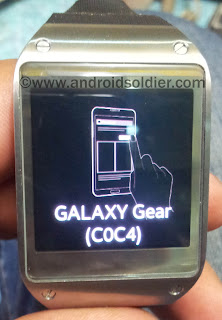
Forgotten Pattern Lock on Galaxy Gear

Forgotten Pattern Lock on Galaxy Gear


Forgotten Pattern Lock on Galaxy Gear 

how to hard reset Samsung Galaxy Gear .


how to hard reset Samsung Galaxy Gear


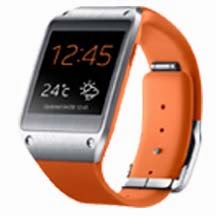
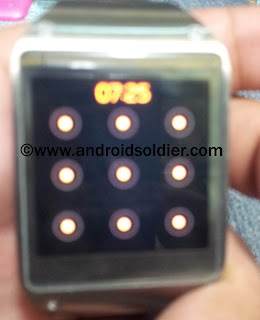
Samsung is leading company to introduction smart watches. Galaxy Gear was the first smartwatch launched by Samsung. If you forgot  Pattern Lock , or user lock on your Galaxy Gear , you need to follow these simple steps to unlock your Samsung Galaxy Gear

how to hard reset Samsung Galaxy Gear

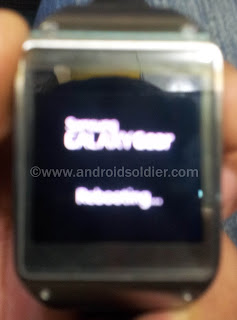
  • Turn off your Samsung Galaxy Gear Completely . 
  • Press and hold power button until you see Galaxy Gear Rebooting. 
how to hard reset Samsung Galaxy Gear

  • Now Press Power button repeatedly . 
  • Recovery Menu will be shown. 
  • Press Power button to select "Recovery".
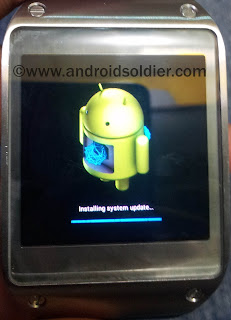
  • Press and hold power button and count 1-6. (5-6 sec).
  • Release Power button . Galaxy Gear will be enter into recovery mode and restore to factory settings. you are good to go . 
how to hard reset Samsung Galaxy Gear

How to activate Samsung Galaxy Gear without Samsung Smart Phone.

how to hard reset Samsung Galaxy Gear

After restore you need to connect your galaxy gear dock via NFC to latest samsung galaxy phone. If no samsung smartphone available, tap several times on gear screen and your will bypass the activation process . 


You may also like to read :
Samsung Smartwatches Comparison .


Available link for download

Read more »

Wednesday, October 5, 2016

Driver Test On Acer V5 121 Windows 7 32 Bit

Driver Test On Acer V5 121 Windows 7 32 Bit


Some friend come to me and need my help to repair laptop Acer V5-121. The program run slowly, its caused some viruses on it. I have often service this laptop series, and this time, i instal V5-121 use windows 7 32-bit. It needs about 30 minute to instlal windows.

Capt:  Laptop spec and Windows


Before Instal Driver


After Instal all driver, all drivers installed successfully


CD Pack driver we uses..


Note:
Driver for acer V5-121 is compatible to Acer 722 / 725. They are the same Chipset, VGA series.


Available link for download

Read more »